Sell in seconds
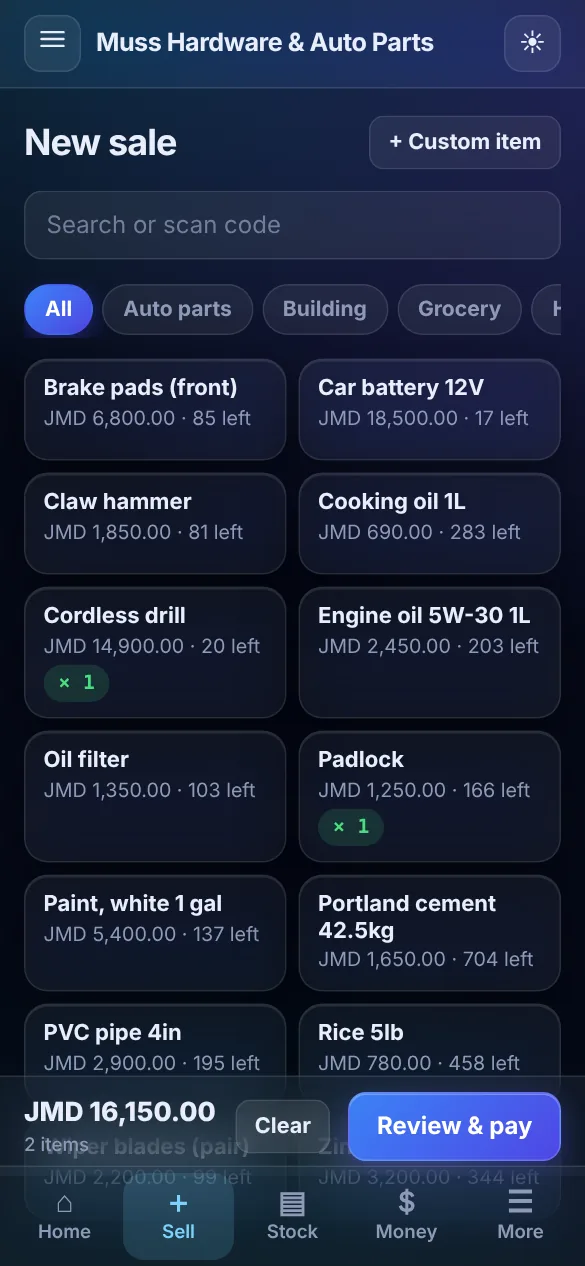
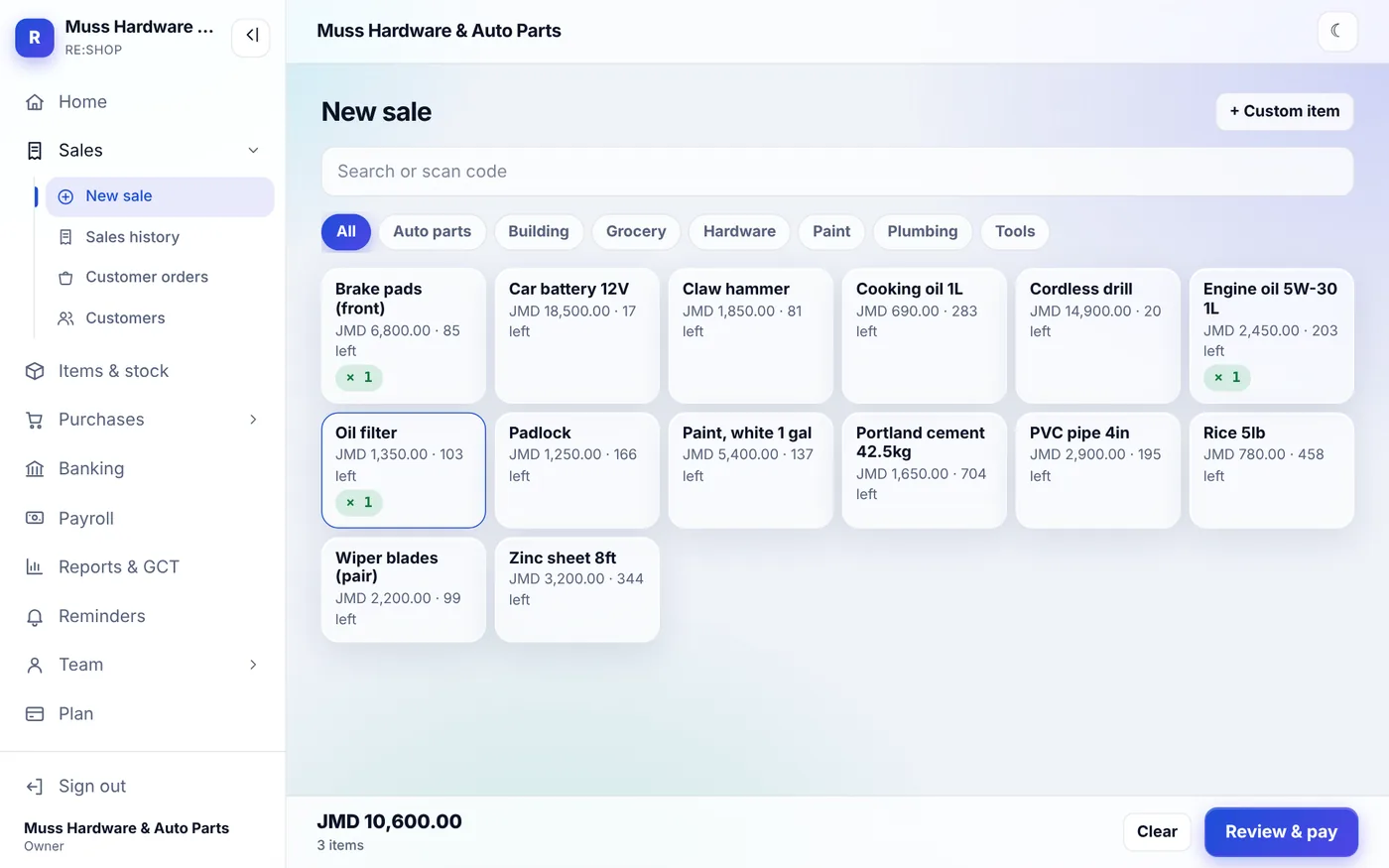
Tap items or scan a barcode, change a price, give a discount, add a custom item for delivery or labour, and send the receipt on WhatsApp. Part payments, deposits and customer orders are built in.
Sales, stock, GCT, banking and payroll for auto-parts stores, hardware shops and groceries. On your phone or your computer, with no installing and no spreadsheets.
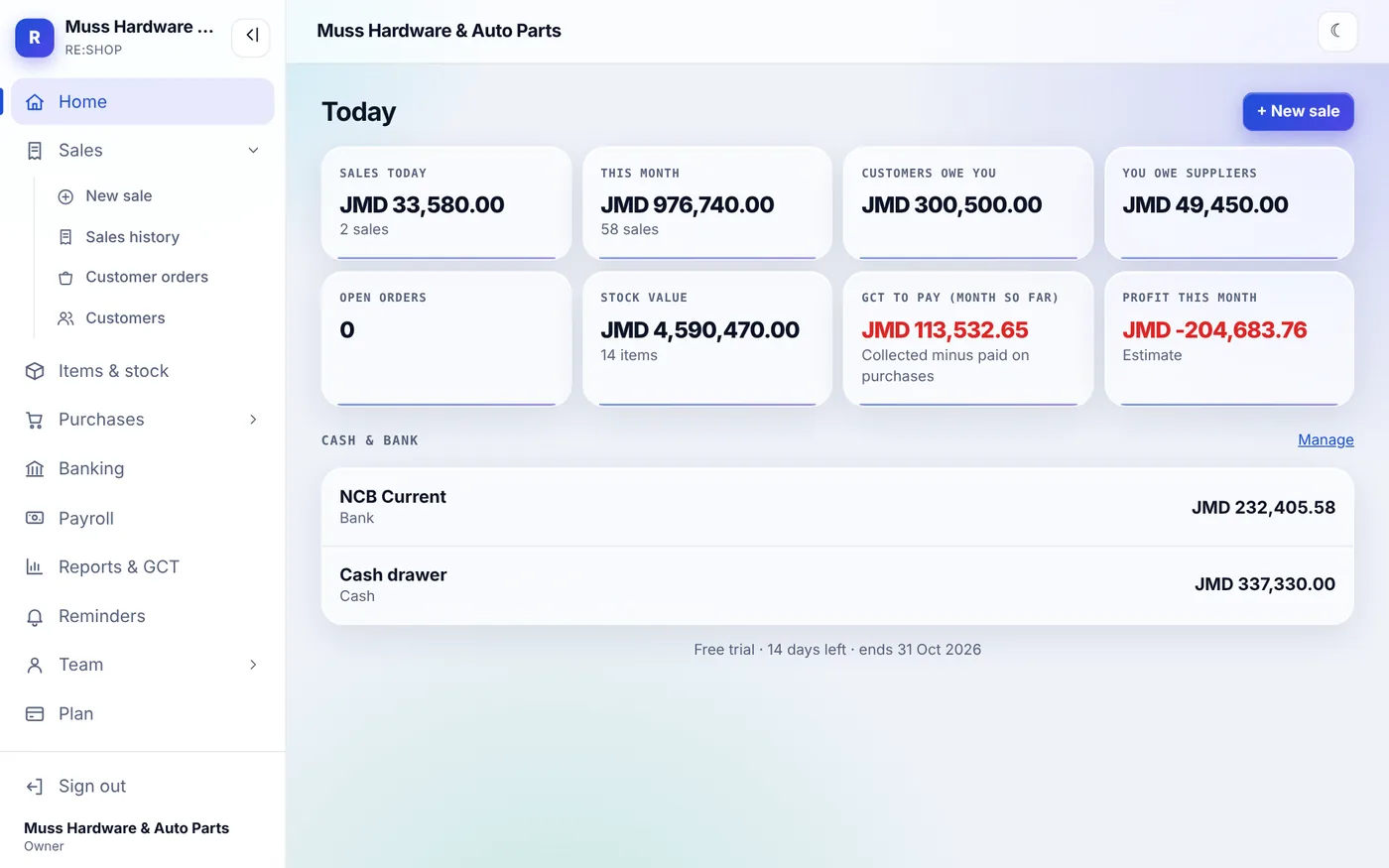
One login for sales, stock, tax, money and people.
Tap items or scan a barcode, change a price, give a discount, add a custom item for delivery or labour, and send the receipt on WhatsApp. Part payments, deposits and customer orders are built in.
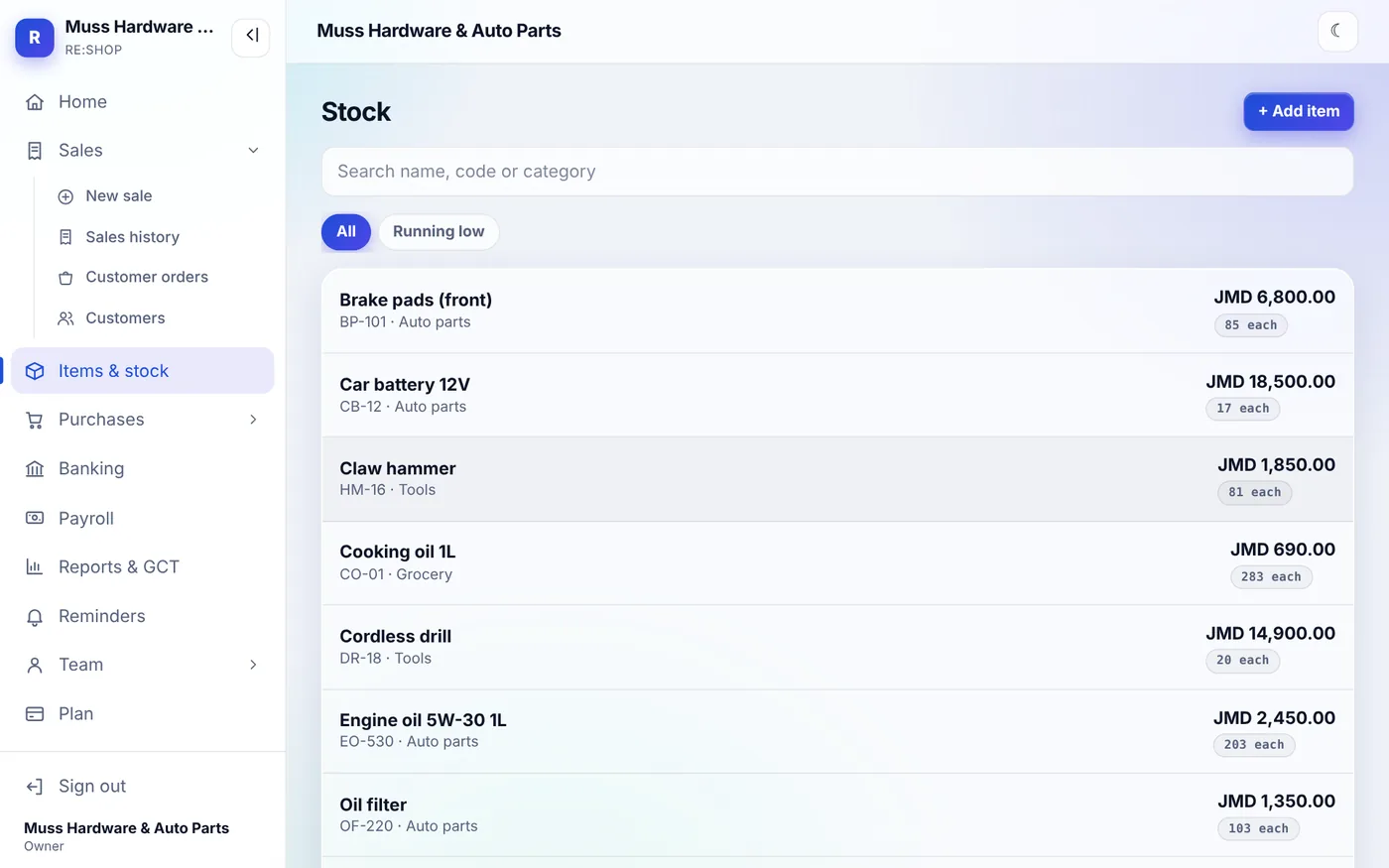
Every sale takes stock off the shelf and every purchase puts it back. Count and adjust, see the history of each item, and get a warning when something is running low. Import your whole list from a spreadsheet.
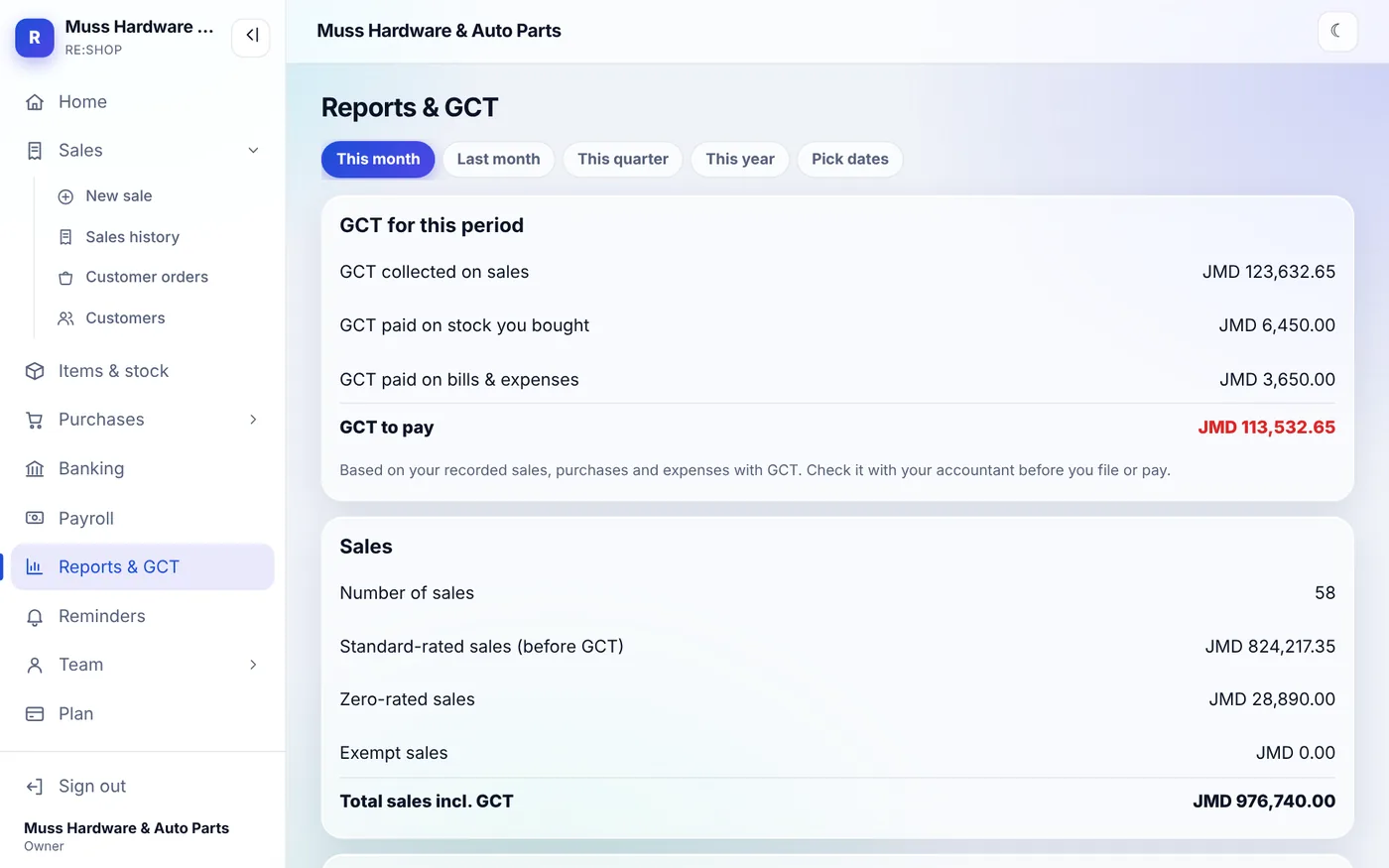
Standard, zero-rated and exempt items, prices with or without GCT, and your TRN on every document. A GCT report shows what you collected, what you paid and what is left to pay.
Bank accounts and your cash drawer, expenses, transfers, what customers owe you and what you owe suppliers. Sales and purchase payments post to the right account on their own.
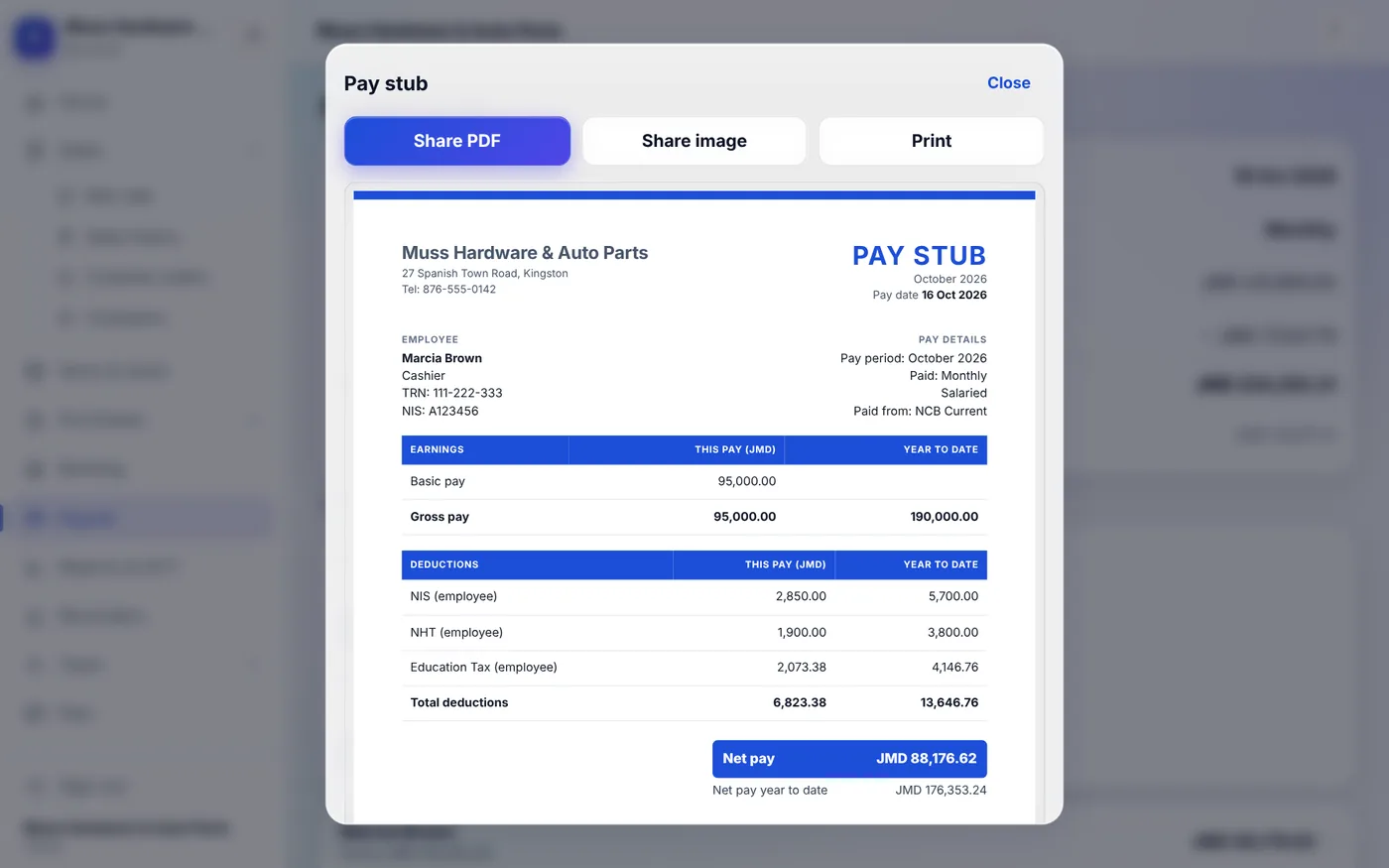
Salary or hourly, weekly to monthly. NIS, NHT, Education Tax and PAYE worked out with rates you can edit. A pay stub with year-to-date for each person and a pay advice for you.
Give managers and cashiers their own logins. Cashiers only see their own sales. See who did what in an activity log and a sign-in history, and protect the owner login with two-step sign-in.
Business registration, insurance, fire certificate, GCT return, vehicle fitness and licence renewals. A popup tells you before they run out, and renewing sets the next date.
A sales report, a GCT report and a profit and loss for any period as a PDF. Download it, send it to your accountant, or print it. Spreadsheet downloads too.
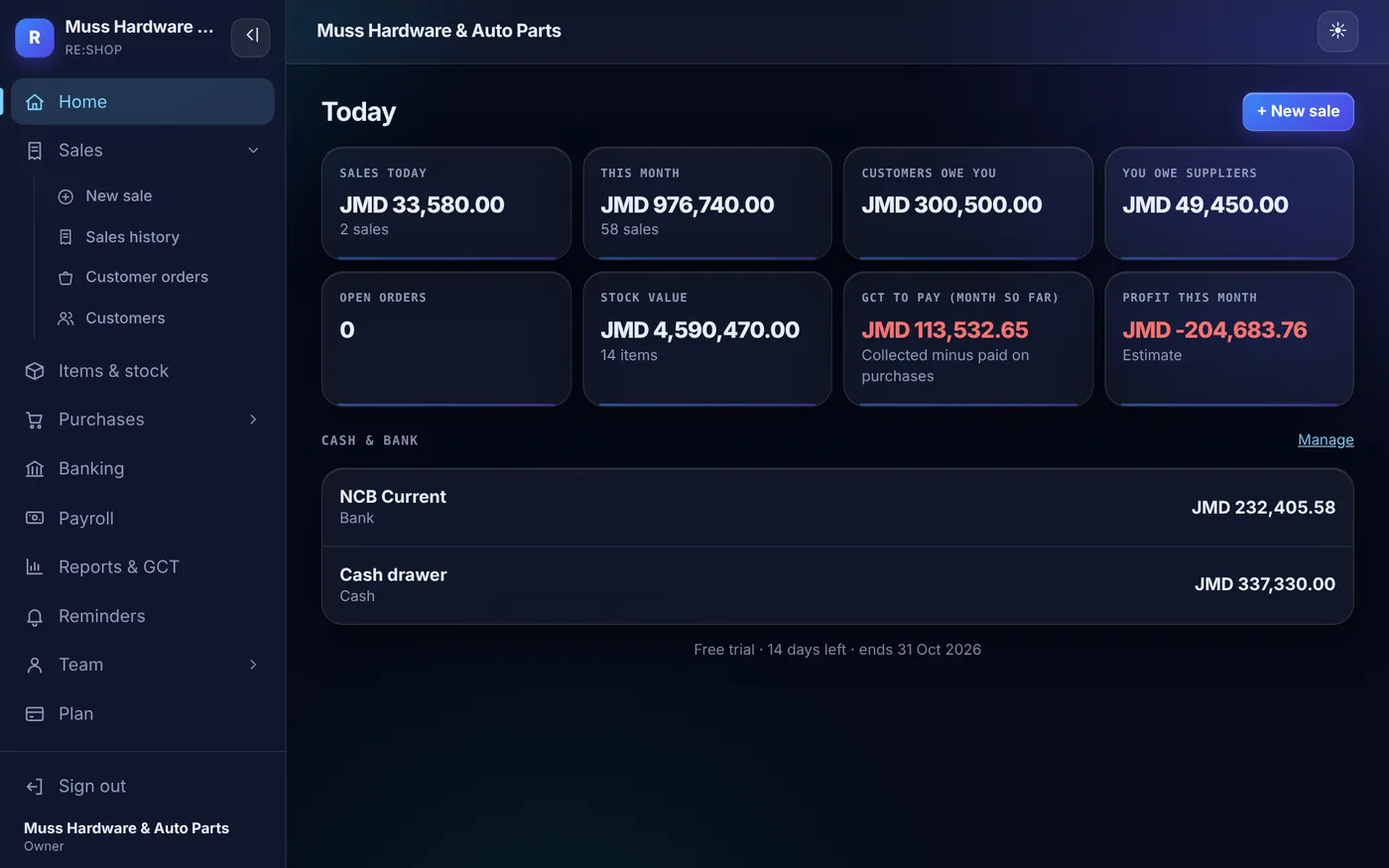
Use it at the counter on a computer or from your phone in the yard. A full menu on the left stays out of the way, with light and dark modes.
Tap an item, tap again for more, and pay. Search by name or scan the barcode. Take cash, card or transfer, let a regular customer pay half now, and send the receipt before they leave the counter.
Add your items once, or import them from a spreadsheet. Stock updates on every sale and purchase, items running low are flagged on your home page, and the history of each item shows where stock went.
See GCT collected, GCT paid and GCT to pay for any period. Make a sales report, a GCT report or a profit and loss, then download it, send it to your accountant or print it.
Add employees once and run payroll in a few taps. NIS, NHT, Education Tax and PAYE are worked out with rates you can edit. Every employee gets a clear pay stub with year-to-date totals, and you get a pay advice for the whole run.
Give each employee their own login. Cashiers only see their own sales and customers. Managers run the shop but cannot see payroll, bank accounts or settings. You see everything, including who did what and every sign-in.
Standard, zero-rated and exempt, with or without GCT in your prices.
Dollars in JMD, and your TRN on every receipt, invoice and report.
Employee and employer shares worked out, with rates you can edit when they change.
Reminders for registration, insurance, fitness, fire certificate and licences.
Every plan has every feature. They differ by length and by how many staff logins you need.
14 days
for bigger teams
Plain instructions for each job in the shop, from your first sale to your first pay run.
Sign up for the free trial, add your business name, logo and address, and tell Re:Shop whether you charge GCT.
Getting startedTap items, take payment and send the receipt to your customer.
Money & taxSet tax types on items, let Re:Shop work out GCT on every sale, and read your GCT figures.
No. You get a free 14-day trial with every feature and no limit on sales. Choose a plan when you are ready to keep going.
Yes. You choose whether prices include GCT, set each item as standard, zero-rated or exempt, and every receipt and report shows GCT worked out for you. The GCT report lists GCT collected, GCT paid and GCT to pay, with your TRN. The rate is editable because it can change.
Yes. Give each employee their own login as a manager or a cashier. Cashiers only see their own sales. Managers cannot see payroll, bank accounts or settings. You see an activity log and a sign-in history.
No. Re:Shop runs in your browser and needs an internet connection. Your phone’s mobile data works if the shop wifi goes down.
Each business only ever sees its own records. Passwords are stored scrambled, repeated wrong guesses lock the login and email you, owners must turn on two-step sign-in with an authenticator app, and a read-only sign-in history shows every attempt.
Yes. Every receipt, invoice, pay stub and report can be shared as a PDF or image, downloaded, or printed from your browser on any printer.
Start your free 14-day trial. No card needed, and your sales are not limited.